
ESC Mobile Manager13.0.16 - Get APK
You'll be able to download in few seconds.
Publisher Description
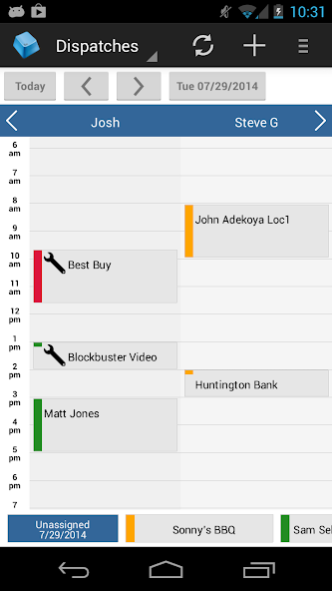
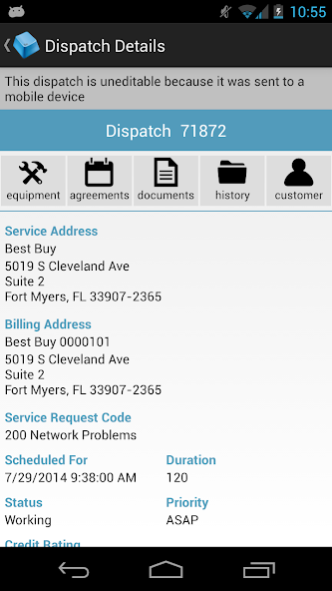
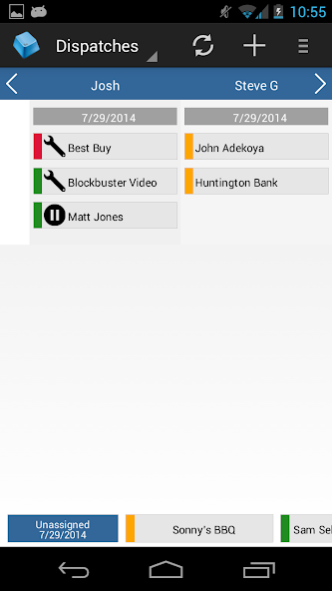
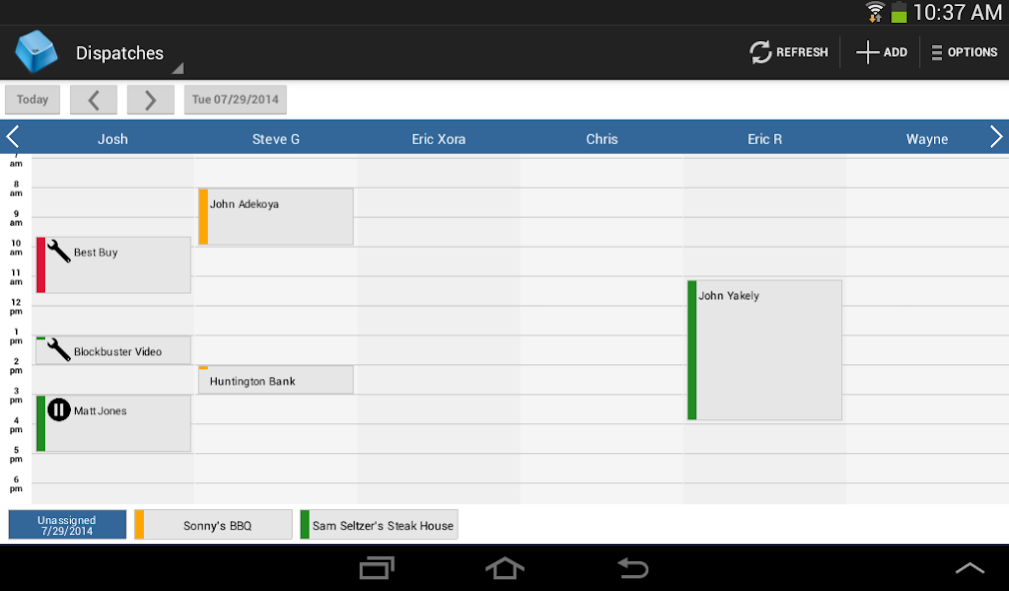
Give your field service managers the tools they need to keep your service business running anywhere anytime. ESC Mobile Manager works with your ESC software to offer real-time access to scheduling, customers, technicians and more from your tablet or smartphone. FREE DOWNLOAD – TRY IT TODAY!
With ESC Mobile Manager, field service managers can:
• Utilize multiple interactive dispatch boards.
• View, edit and schedule dispatches.
• Create new dispatches.
• Assign and re-assign dispatches to technicians.
• See technician work status in real-time.
•View customer equipment, agreement information and documents.
• View customer service, invoice and dispatch history.
• View and edit customer account information.
• Create new customers.
• Utilize tablet-optimized and smartphone-compatible layout.
Requirements
• Android 4.0 or higher
• ESC desktop application version 14 and higher
ESC Mobile, by dESCO, is a simple and affordable way to connect more people, in more places, on more devices. Leading field service software for small to medium sized service industry businesses including HVAC, Plumbing, Electrician, Equipment, Generator & Pump, Garage & Overhead Door, Appliance Repair, Pest Control, Construction, Locksmith, Security, and other Mechanical Contractors. There’s a better way to manage field service – it all starts with ESC Mobile!
About ESC Mobile Manager
The company that develops ESC Mobile Manager is dESCO, LLC. The latest version released by its developer is 13.0.16.
To install ESC Mobile Manager on your Android device, just click the green Continue To App button above to start the installation process. The app is listed on our website since 2019-01-10 and was downloaded 0 times. We have already checked if the download link is safe, however for your own protection we recommend that you scan the downloaded app with your antivirus. Your antivirus may detect the ESC Mobile Manager as malware as malware if the download link to com.desco.escManagement is broken.
How to install ESC Mobile Manager on your Android device:
- Click on the Continue To App button on our website. This will redirect you to Google Play.
- Once the ESC Mobile Manager is shown in the Google Play listing of your Android device, you can start its download and installation. Tap on the Install button located below the search bar and to the right of the app icon.
- A pop-up window with the permissions required by ESC Mobile Manager will be shown. Click on Accept to continue the process.
- ESC Mobile Manager will be downloaded onto your device, displaying a progress. Once the download completes, the installation will start and you'll get a notification after the installation is finished.
Program Details
System requirements
Download information
Pricing
Version History
version 13.0.16
posted on 2019-01-10
Fixing error with XML when the application starts.
version 13.0.15
posted on 2017-07-19
Tightened login security to prevent unauthorized access.
version 13.0.12
posted on 2015-05-19
Version 13.0.13,Updated mapping features,Version 13.0.12,Fixed some crash issues.,Version 13.0.9,Miscellaneous fixes, new security options available with a new connection server installation.,Version 13.0.7:,Many more fields can be copied,All contacts except primary contact are collapsed allowing easier viewing,Notes now include hyperlinks
Disclaimer
External Download
We do not host ESC Mobile Manager on our servers. We did not scan it for viruses, adware, spyware or other type of malware. This app is hosted by Galad and passed their terms and conditions to be listed there. We recommend caution when installing it.
The APK Download link for ESC Mobile Manager is provided to you by apps112.com without any warranties, representations or guarantees of any kind, so access it at your own risk.
If you have questions regarding this particular app contact the publisher directly. For questions about the functionalities of apps112.com contact us.
